llml.ai
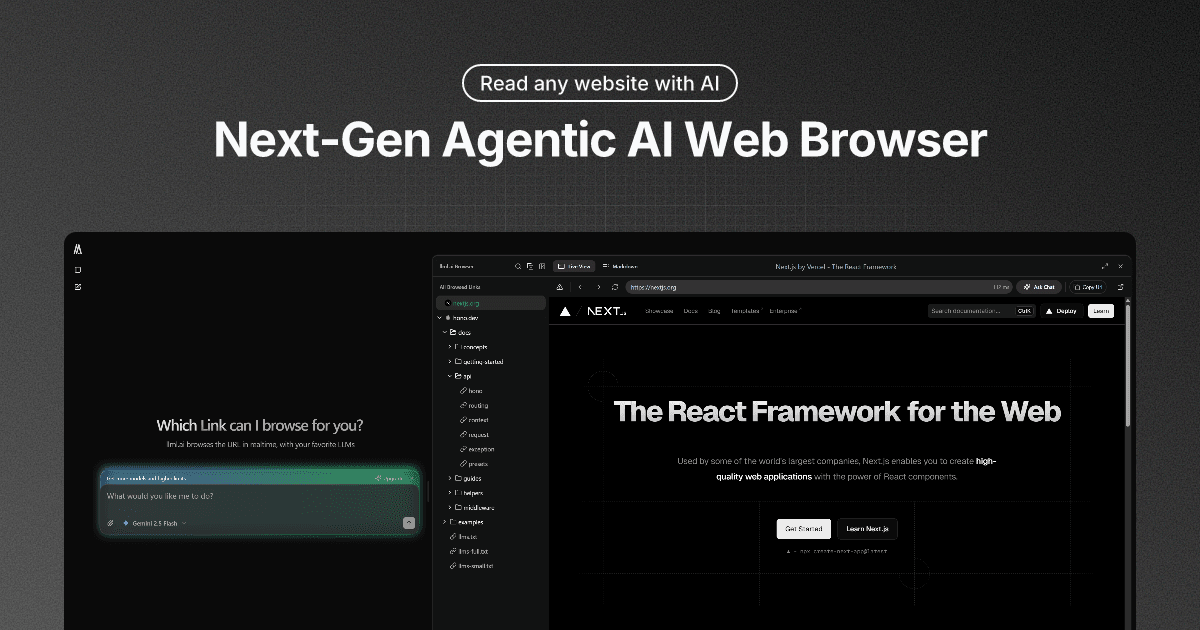
I built llml.ai independently around one simple interaction: put llml.ai in front of a web address, then ask questions with the page already in context.
The starting point
Using an LLM with a website usually begins with copying text, explaining the page, or asking the model to browse without knowing what it can actually see. I wanted the URL itself to be the starting prompt.
The prefix makes that idea direct. A user can move from a website into a conversation without first setting up a workspace or rebuilding the context by hand.
The browser as context
llml.ai reads the current page, extracts useful content, and maps the links around it. The conversation can then move through the site with a clearer understanding of what has already been read and what is available next.
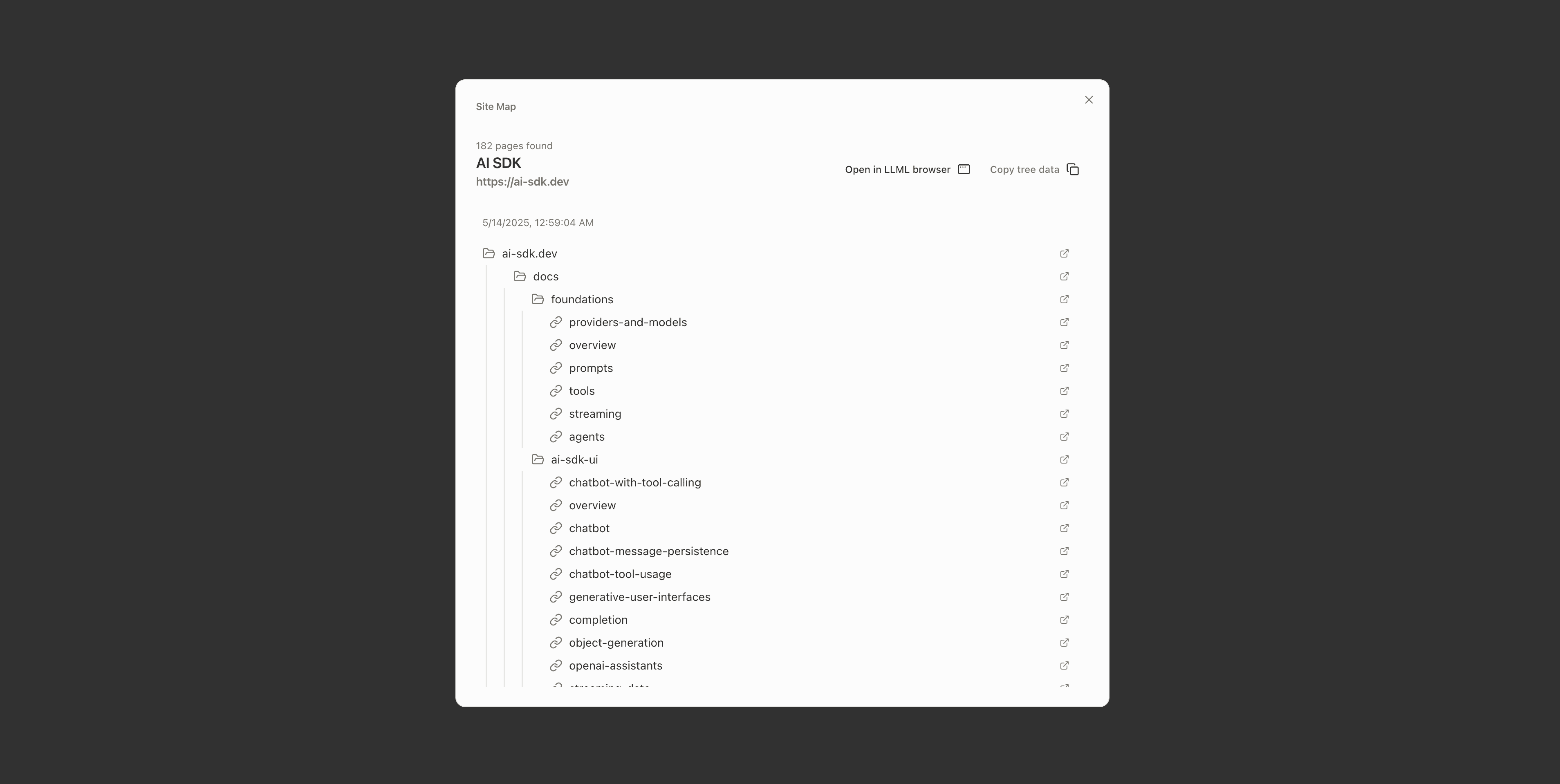
I treated browsing as a visible part of the answer, not a hidden background trick. Page content and site structure appear as browser artifacts beside the conversation.
Reading, links, and browsing
I separated the browser into focused tools. Read handles fast page content and metadata. Links crawls the current website from inside the browser, gathers every page it discovers, and organizes the results into a navigable site tree. Browse handles heavier extraction and multiple URLs when the task needs more than one page.
That separation gives the model a smaller, clearer action for each job and gives the interface better information about what is happening.
A complete product
Around the core interaction, I built chat history, model selection, browser artifacts, accounts, guest use, file uploads, sharing, usage limits, and billing. The project also includes the APIs and shared packages behind the reading tools.
The result is an early product rather than a finished browser, but the full loop is there: open a link, understand the site, ask a question, and keep the useful context with the conversation.
The model selector
The model selector was one of the interaction details I designed to make a growing catalog feel understandable instead of technical. Models are grouped by availability, while the adjacent detail panel explains the provider, model ID, context window, relative speed and intelligence, and supported capabilities.
Moving through the list updates that comparison in place, so users can inspect the tradeoffs without leaving the conversation or opening a settings screen. It turns model selection from a list of unfamiliar names into a quick, informed choice.

What I was exploring
The project explores a small product idea I still find useful: AI browsing should begin from where the user already is, and the shortest interaction can carry the strongest mental model.